
How do I get my Victron Cerbo GX into Home Assistant?
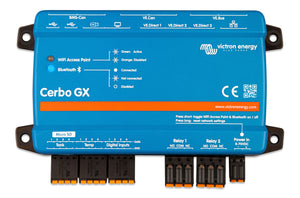
The Cerbo GX is already the hub that collects the MultiPlus-II, the MPPT and the SmartShunt, so you do not integrate each Victron device with Home Assistant. You integrate the Cerbo once, over your RV's Wi-Fi or Ethernet, using one of two services Victron builds into every GX device. Both are off by default and both are switched on in the same menu.
Option 1: Modbus-TCP
On the Cerbo (or the GX Touch), go to Settings, scroll to Services, and enable Modbus/TCP. Victron's FAQ says the service is disabled until you do this.
The GX acts as a gateway, and each connected device is addressed by a Unit-ID. To see what is on your system and which ID each device has, open Settings > Services > Modbus/TCP > Available services. The whole-system values (battery state of charge, PV power, AC loads, the figures the Energy dashboard wants) sit at Unit-ID 100; Victron recommends 100 rather than 0 because many clients do not work with ID 0. The register numbers for every value are in the Modbus-TCP register list, an Excel sheet Victron publishes in the Whitepapers section of its site.
On the Home Assistant side, Modbus is a core integration. Define a hub with type tcp, the Cerbo's IP address as the host, and the port, then create sensors against the registers you want, giving each its Unit-ID as the device_address. Victron's own documentation does not state the TCP port number; Home Assistant's docs note that devices commonly use 502.
Option 2: MQTT
Go to Settings > Services > MQTT on the GX and enable it. The Cerbo then runs its own MQTT broker on TCP ports 1883 and 8883, which one you use depending on your security settings.
Values are published as topics of the form N/<portal ID>/<service type>/<device instance>/<D-Bus path>, reads are requested on the same path under R/, and writes under W/. Your portal ID is shown on the GX under Settings > VRM online portal > VRM Portal ID, and on the VRM website under its Settings tab.
One rule catches most people: the broker only keeps publishing while something is asking for it. Send a read request to R/<portal ID>/keepalive on a timer. Victron's keep-alive timeout is 60 seconds, and its example sends one every 30 seconds. If your Home Assistant entities go "unavailable" a minute after setup, the keep-alive is what is missing.
Home Assistant's MQTT integration is added under Settings > Devices & services and needs a broker; point it at the Cerbo's IP address and port instead of a local Mosquitto install, and build MQTT sensors from the state topics.
Which one to pick
- Modbus-TCP is the simpler read. Numbered registers, no keep-alive, and the Energy dashboard's system totals are all at Unit-ID 100.
- MQTT gives you every value on the system, including ones with no register, and is the natural choice if you already run an MQTT broker for other devices.
Either way the Cerbo must be on the same network as Home Assistant. If the Cerbo is on the RV Wi-Fi and Home Assistant is on a different subnet or behind the router's guest network, neither service will be reachable. Our Cerbo GX wiring guide covers the physical install and the data cables; VRM is Victron's cloud portal and is separate from either local service above, so a system that shows on VRM is not automatically reachable by Home Assistant.
What you need
A Cerbo GX MK2 or MK3 with the MultiPlus-II on VE.Bus, the MPPT and SmartShunt on VE.Direct, and a network connection. A GX Touch is optional, but it makes the Settings > Services menu quicker to reach than the remote console.
What you need


Want the full walkthrough? Read the complete guide.