
Inverting or non-inverting remote on/off cable: which one does my Victron BMS need?
The three cables look alike and cost about the same, so people buy the wrong one. The difference is which way the signal has to go, and Victron's BMS manual spells out the logic.
What the BMS puts out
The VE.Bus BMS V2 (and the smallBMS) has two control outputs. Load disconnect is normally high, at roughly battery voltage minus 1V, and goes free-floating when a cell is empty; it can source 1A. Charge disconnect behaves the same way for chargers but only sources 10 mA. Neither output ever pulls a wire low. So:
- A device whose remote terminal switches on when it sees voltage can be wired straight to the BMS, no cable needed. Orion-Tr Smart chargers and the SolidSwitch 104 work this way, wired to the charge-disconnect H terminal.
- A device whose remote terminal switches on when pulled to battery minus and off when floating needs the signal flipped. That is the inverting cable's job.
- A device that wants a clean "high means run" signal from a VE.Direct port, or needs the BMS's open-circuit alarm turned into an active pull-down, uses a non-inverting cable.
Which cable for which product
| Cable | Part | Use it with |
|---|---|---|
| Inverting | ASS030550120 | Phoenix inverters of 3 kVA and up, the discontinued Phoenix 12/180, 24/180, 12/350 and 24/350, any Multi, MultiPlus or Quattro you want switched by a BMS load output, and any charger with a pull-low remote terminal on the charge output. Also converts a BlueSolar MPPT load-output signal so it can switch an inverter that is wired to the battery. |
| Non-inverting | ASS030550220 | Skylla-TG chargers (all models) and the BatteryProtect BP40i, BP60i and BP200i. These three are discontinued; a current BatteryProtect has its own remote input rules, so check its manual before ordering. |
| VE.Direct non-inverting | ASS030550320 | BlueSolar and SmartSolar MPPT controllers that lack a remote terminal. The 75/10, 75/15, 100/15 and 100/20 need their VE.Direct RX pin set to "remote on/off" in VictronConnect first; the larger SmartSolar models have a terminal and do not need the cable at all. |
Two things people miss
- A MultiPlus or Quattro on a VE.Bus BMS does not need any of these cables for inverter or charger control. The BMS talks to it over the RJ45 VE.Bus lead. The inverting cable comes in when a Phoenix VE.Bus inverter or another pull-low device hangs off the load output.
- The VE.Direct port does one job at a time. If the cable occupies an MPPT's VE.Direct port, that controller cannot also talk to a Cerbo GX or a Bluetooth dongle. On a GX system Victron prefers to let the GX disable the solar chargers over DVCC instead.
For a charger that cannot be switched this way, the manual's alternative is a Cyrix-Li-Charge relay between charger and battery, controlled by the charge-disconnect output.
After wiring, force a test: pull the BMS remote terminal and confirm the device actually switches off. All three cables ship from our Upland, California warehouse.
Shop the full Victron Energy range at RV Parts Giant.
What you need
-
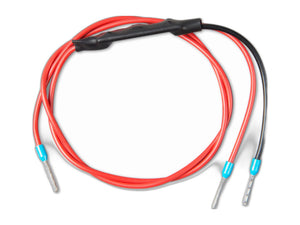 Victron Energy - Inverting remote on-off cable | ASS030550120
$14.30
-
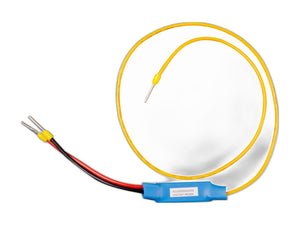 Victron Energy - Non inverting remote on-off cable | ASS030550220
$14.30
-
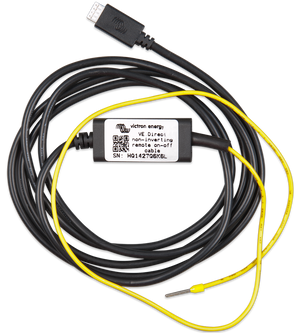 Victron VE.Direct non-inverting remote on-off cable
$17.70
-
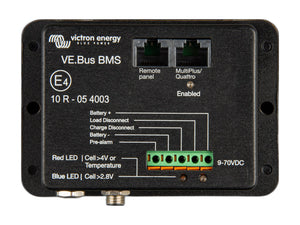 Victron Energy - VE.Bus BMS | VE.Bus BMS V2
$111.43
-
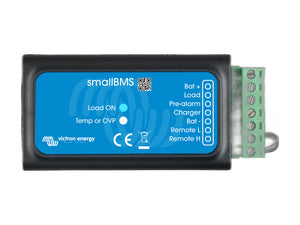 Victron Energy - smallBMS | BMS400100000
$46.83
Want the full walkthrough? Read the complete guide.